ROADMAP · UNREAL ENGINE

What we’re building next.

Every feature in the works, one card each. Names and details can still change before a release ships — the changelog has the full list of fixes as they land.

v3.7.0 · IN DEVELOPMENT 18 FEATURES

Dungeon Architect 3.7

Hand craft your levels with the new Blockout Designer, design patterns in full 3D and dress your rooms with PCG. Our biggest update since 3.0.

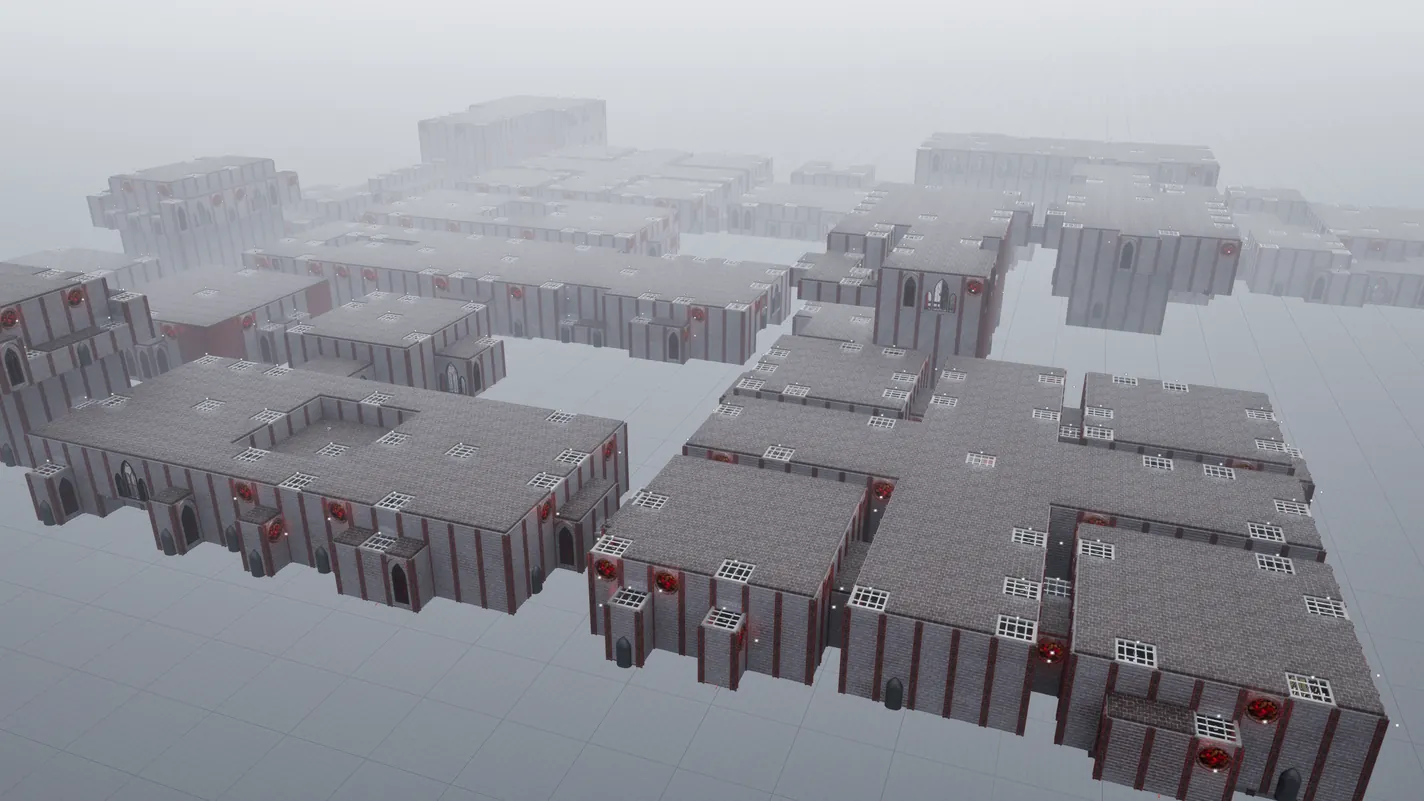
Blockout Designer in Dungeon Architect
BLOCKOUT EXPERIMENTAL

Blockout Designer

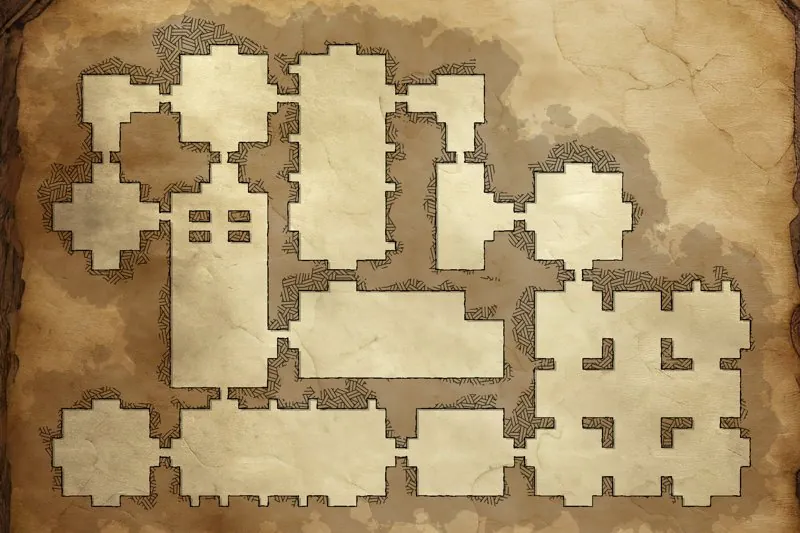
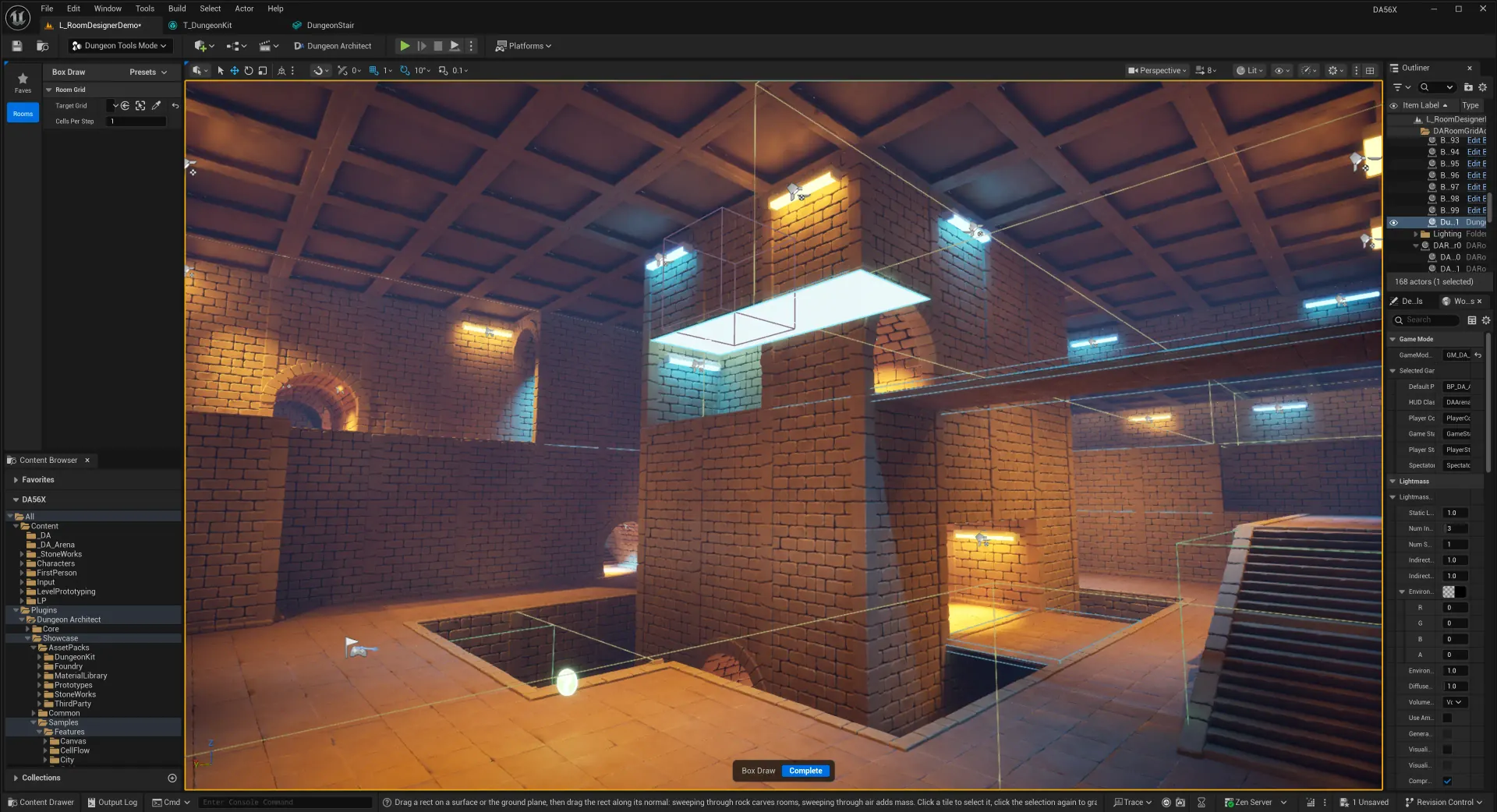
A grey boxing toolset for hand crafting levels on a grid. Draw the space, and your themes dress it up.

+ WHAT’S IN IT

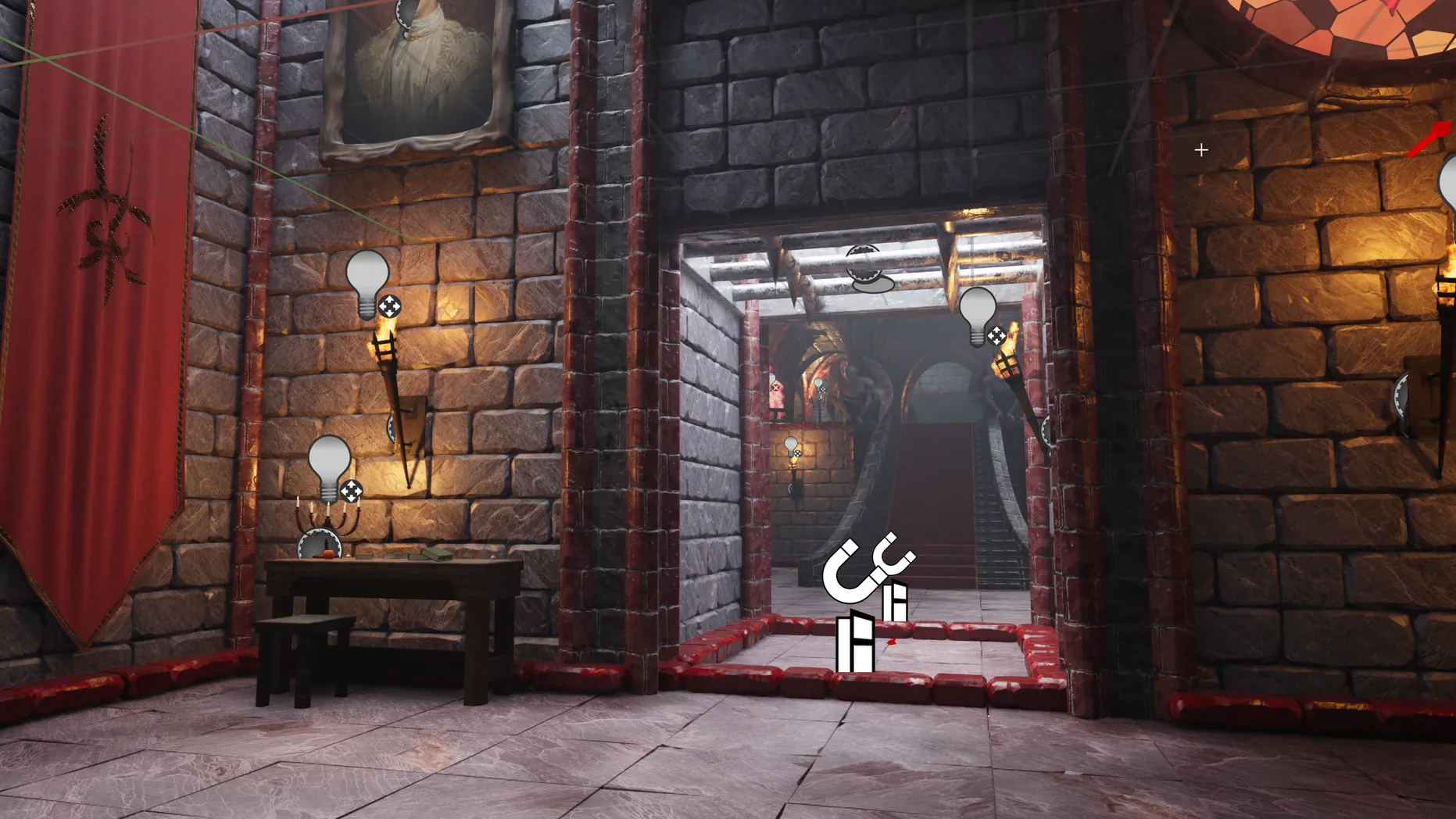
Build rooms, halls and play spaces by hand in the Dungeon Tools editor mode. Rooms are built from a stack of editable volumes and emit the standard theme markers, so they work with your existing themes.

  • ■Draw rooms, platforms, walls, stairs, ramps and angled slopes
  • ■Lay carpets and hang cables with the Spline tool
  • ■Paint markers on floors, walls and ceilings and let pattern matcher rules place the final pieces
  • ■Volume presets save a marker setup you can stamp or paint across volumes
  • ■An overlapping volume restyles just the part it covers, e.g. a fence row along the base of a tall wall
  • ■Slopes emit markers named by size (e.g. Slope1x2), or keep one as final geometry with Generated Mesh
  • ■Greybox meshes and lights keep unthemed rooms playable
  • ■Works as a Snap Grid Flow and Snap Map module: drop a Snap Connection on a wall and it opens up around it, sized by the connection's Connection Height
Blockout Designer in Dungeon Architect
▶ watch the preview
PCG Integration in Dungeon Architect
PCG

PCG Integration

Dress your rooms with PCG: candles, modular feast tables and more, placed from your dungeon's markers.

+ WHAT’S IN IT

The Get Marker Points node reads markers from blockout grids and from actors the theme spawns, so a PCG graph can dress a single table or room corner without reading the whole dungeon.

  • ■Candles, modular tables and props placed by PCG graphs
  • ■PCG components on blockout grids re-run on every build
  • ■Filter markers by name
  • ■Scope a graph to the markers around a spawned actor
  • ■Get Marker Points node (renamed from Get Dungeon Markers Points)
  • ■Unreal MCP toolset: an AI assistant can add DA's PCG nodes to a graph and inspect a dungeon's markers
docs →
Pattern Matcher 3D in Dungeon Architect
PATTERN MATCHER

Pattern Matcher 3D

Define your patterns in full 3D space. Backward compatible with the 2D version.

+ WHAT’S IN IT

The pattern matcher now works in 3D, so rules can look above and below, not just around. Pick 2D or 3D from the drop down in the theme editor.

  • ■Place rule blocks across multiple levels
  • ■Existing 2D patterns keep working
  • ■Each mode keeps its own pattern list
docs →
Thick Doors in Dungeon Architect
SNAP GRID FLOW

Thick Doors

Leave a gap between stitched rooms and let a thick door fill it, so walls can have real depth without poking into the room next door.

+ WHAT’S IN IT

Set Door Thickness on the module bounds and every room keeps its distance from its neighbours. The door spans the gap, so walls no longer have to be paper thin.

  • ■A door can be a full passage, e.g. a 400x400 walkway with its own lights and props
  • ■Props from neighbouring rooms no longer overlap
  • ■Walls can extend outwards, e.g. sci-fi panels or pipes running inside the wall
  • ■Thick doors show up as passages on the minimap
Thick Doors in Dungeon Architect
Blockout Rooms on the Minimap in Dungeon Architect
CANVAS

Blockout Rooms on the Minimap

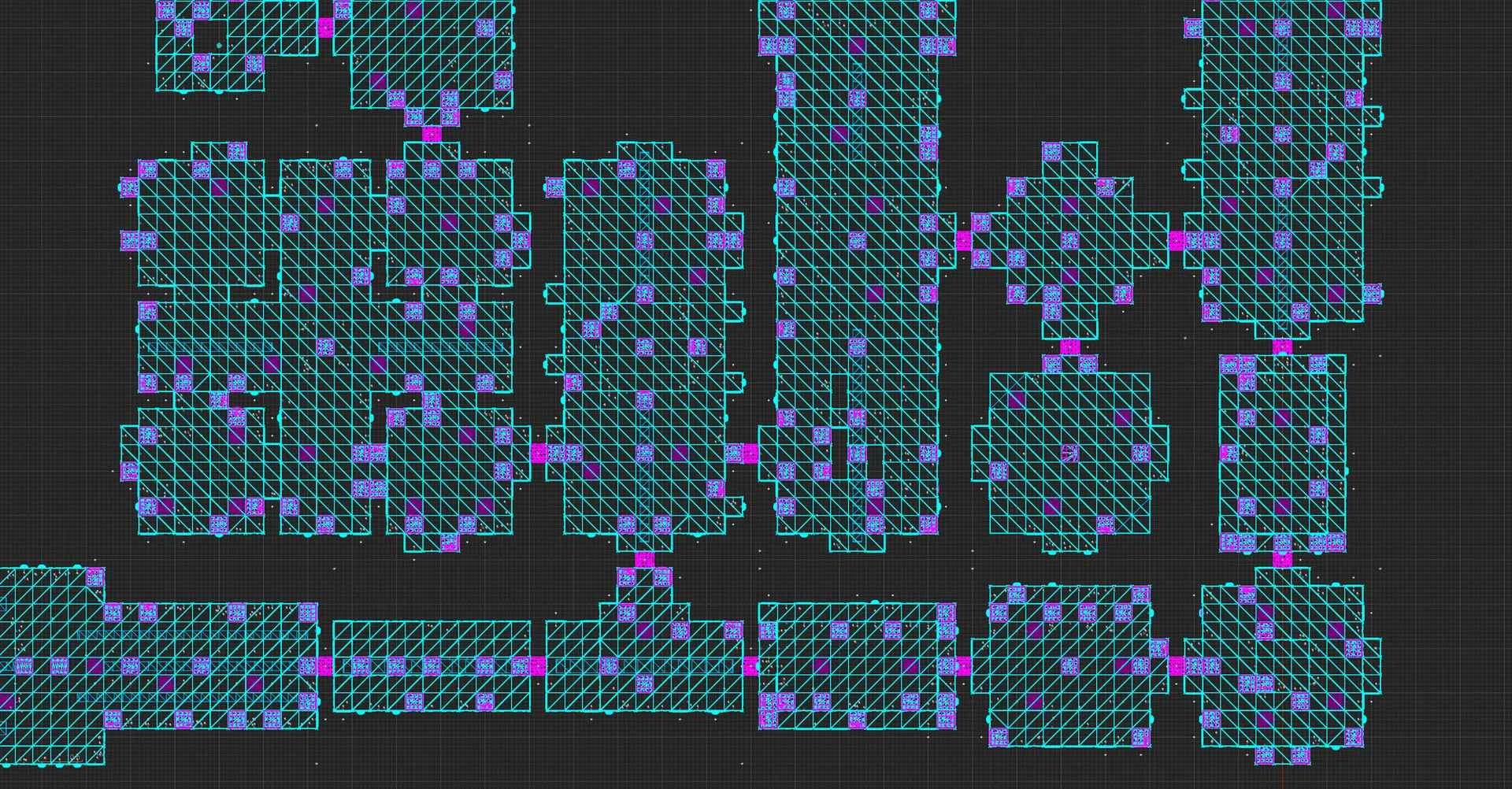
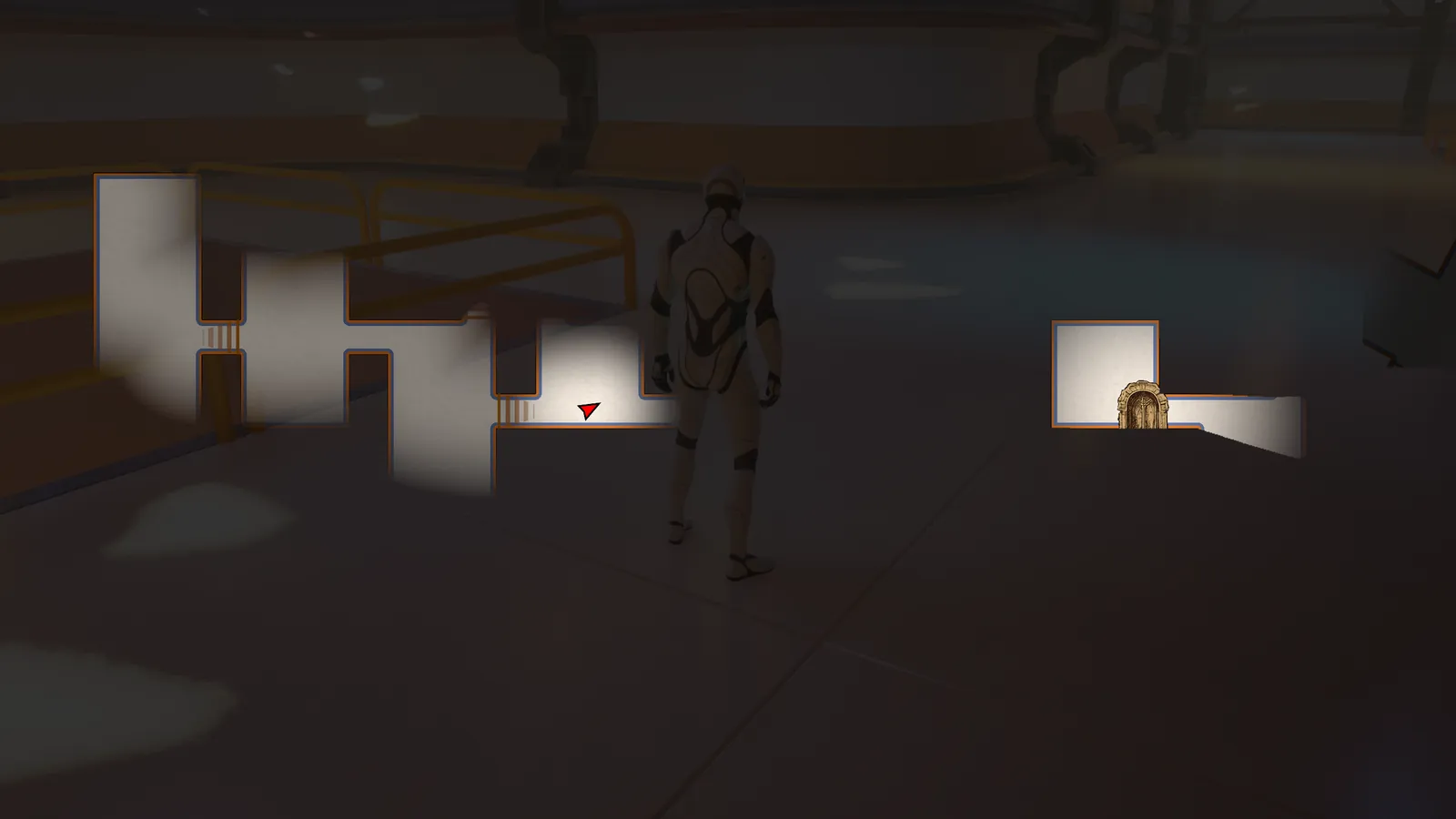
The blockout room shape is used directly in the minimap.

+ WHAT’S IN IT

Snap modules built with the Blockout Designer show their real room shape on the minimap, not a box.

  • ■Room shapes come straight from the blockout
  • ■Thick doors show up as passages between rooms
  • ■Rebuild the Snap Grid Flow module database to pick it up
docs →
Arena FPS Sample in Dungeon Architect
SAMPLE

Arena FPS Sample

A fast arena shooter with wall running, double jump, crouch slide, ledge climb and bullet time.

+ WHAT’S IN IT

A new sample game with fast movement and a set of weapons.

  • ■Wall running, double jump, crouch slide and ledge climb
  • ■Bullet time
  • ■Pistol, rifle and more
Multiplayer Style Layouts in Dungeon Architect
FLOW GRAPHS

Multiplayer Style Layouts

Grow standalone paths and control where branches leave and join. No main path needed.

+ WHAT’S IN IT

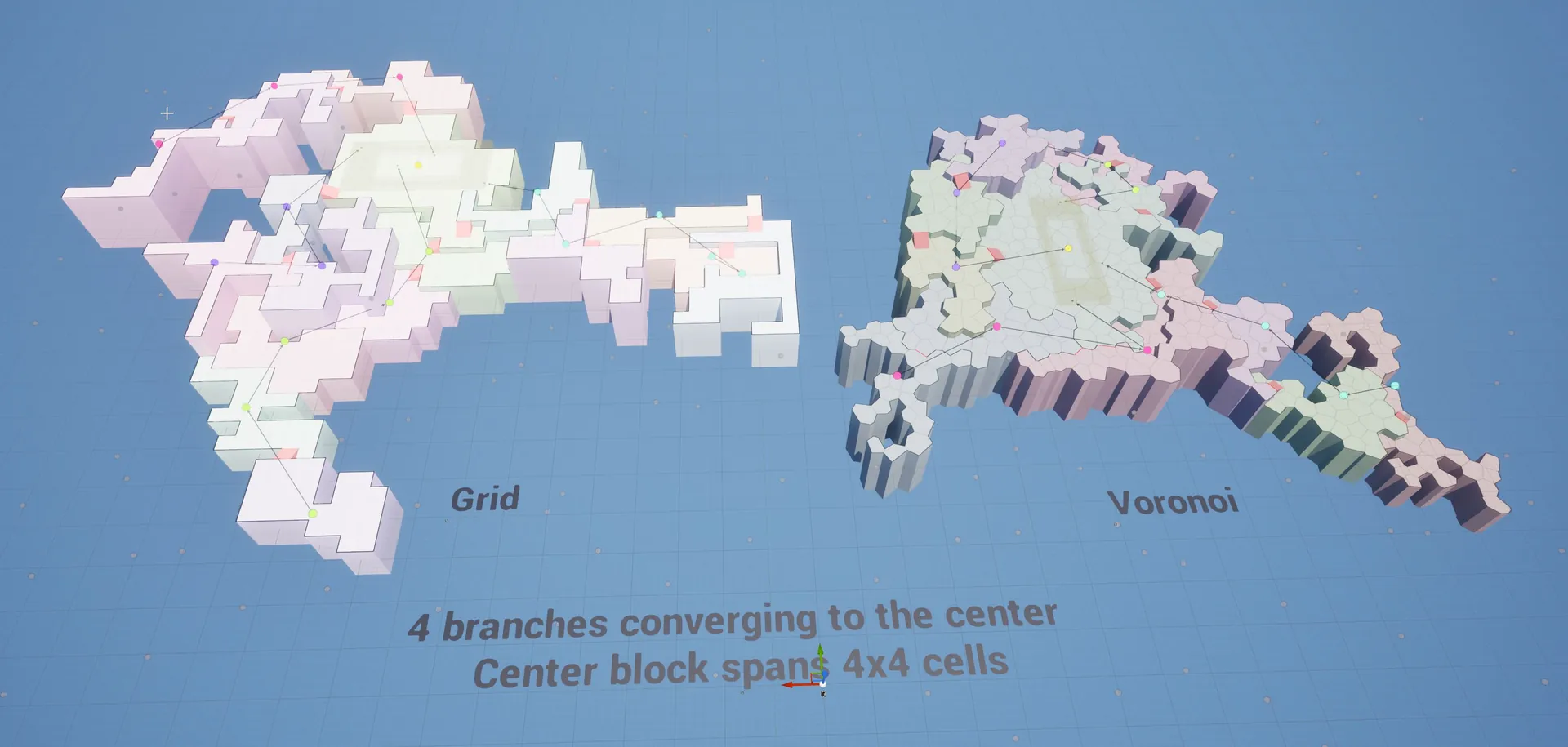
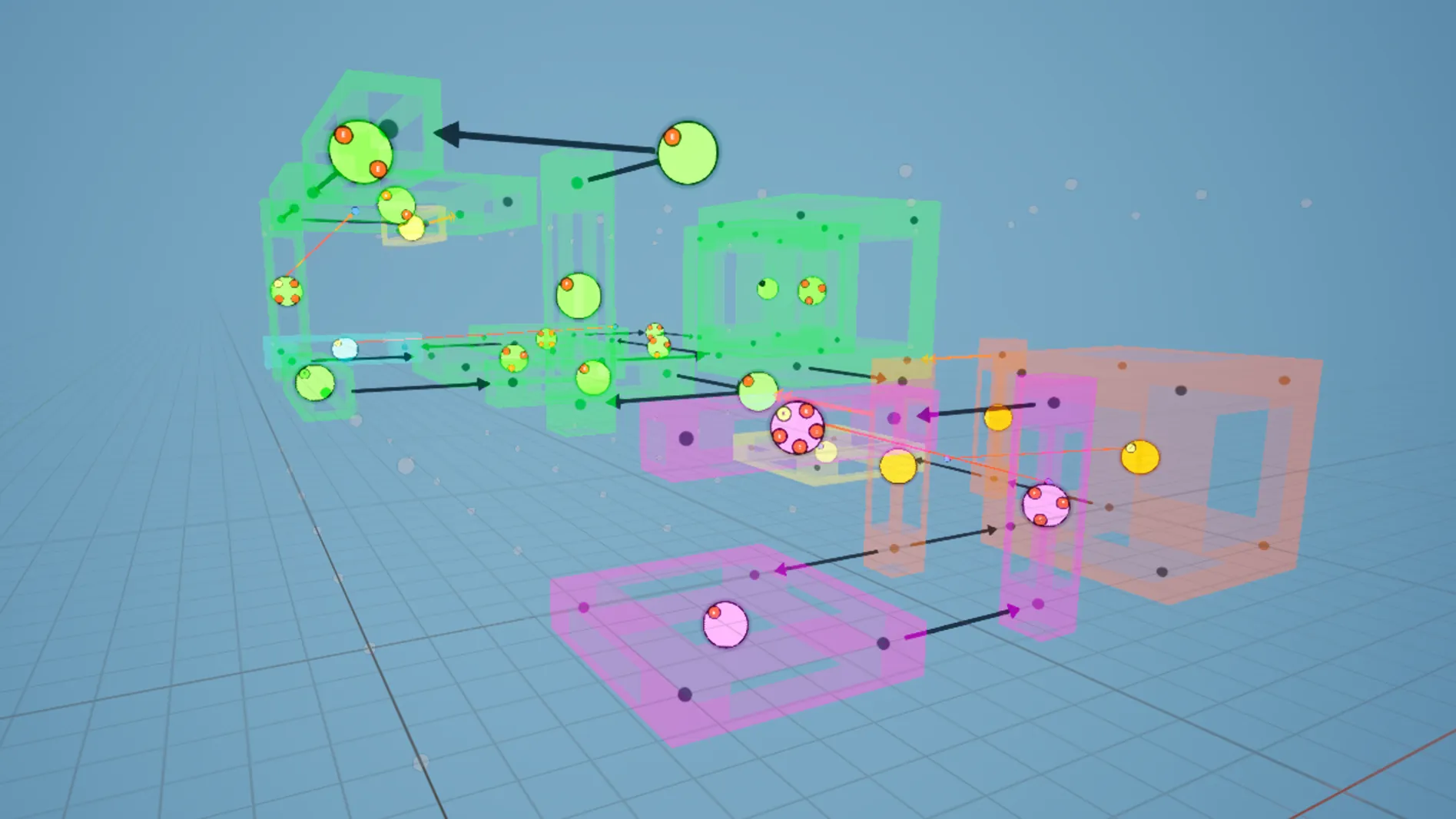
The Create Path node can grow standalone paths, so a layout no longer needs one main path. E.g. four team spawn paths converging on a central hub. Works on Snap Grid Flow, Grid Flow and Cell Flow.

  • ■Standalone paths with no main path, e.g. 4 branches converging to the center
  • ■A single node can span multiple cells, e.g. a 4x4 central arena
  • ■Emit and Merge windows on branches
  • ■Key and lock placement on maps with multiple spawns
  • ■Reachability Contracts keep the routes you need open
Cables and Carpets in Dungeon Architect
BLOCKOUT

Cables and Carpets

Draw a spline in the Blockout Designer to hang cables across a room or run a carpet down a hall.

+ WHAT’S IN IT

The Spline tool in the Blockout Designer lays out cables and carpets as part of the room, so they rebuild with it.

  • ■Cables sag naturally between their anchor points
  • ■Carpets follow the floor along the spline
  • ■Both are themed like the rest of the room
Faster Generation in Dungeon Architect
PERFORMANCE

Faster Generation

Snap Grid Flow layouts and mesh placement are several times faster.

+ WHAT’S IN IT

Snap Grid Flow layouts and instanced mesh placement are several times faster, and theme rebuilds reuse what is already in the level instead of respawning it.

  • ■Faster Snap Grid Flow layouts
  • ■Faster instanced mesh placement
  • ■Quicker theme rebuilds
Faster Pattern Authoring in Dungeon Architect
PATTERN MATCHER

Faster Pattern Authoring

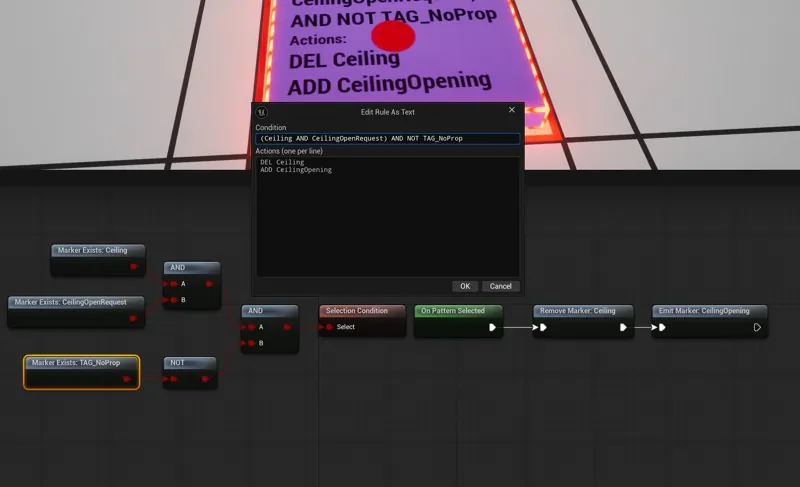
Write rules as text, cover a block of tiles with one rule and organize patterns in folders.

+ WHAT’S IN IT

A set of pattern matcher improvements that make large rule sets easier to build and manage.

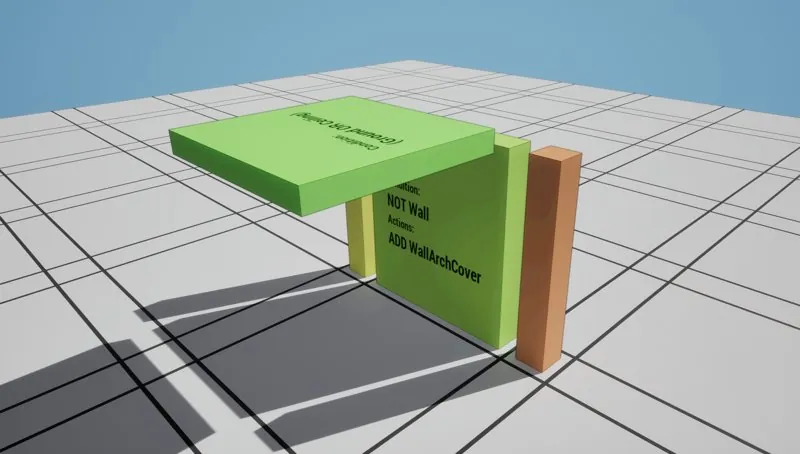
  • ■Double click a rule block to edit it as text, e.g. (Wall OR Fence) AND NOT Door, and the rule graph is built for you
  • ■Volume rules cover a block of tiles with one rule
  • ■Is Inside Dungeon condition, e.g. windows only on walls that face outside (Blockout Designer for now)
  • ■Folders, on/off toggles and undo in the patterns list
docs →
Gothic Vampire Theme in Dungeon Architect
SAMPLE

Gothic Vampire Theme

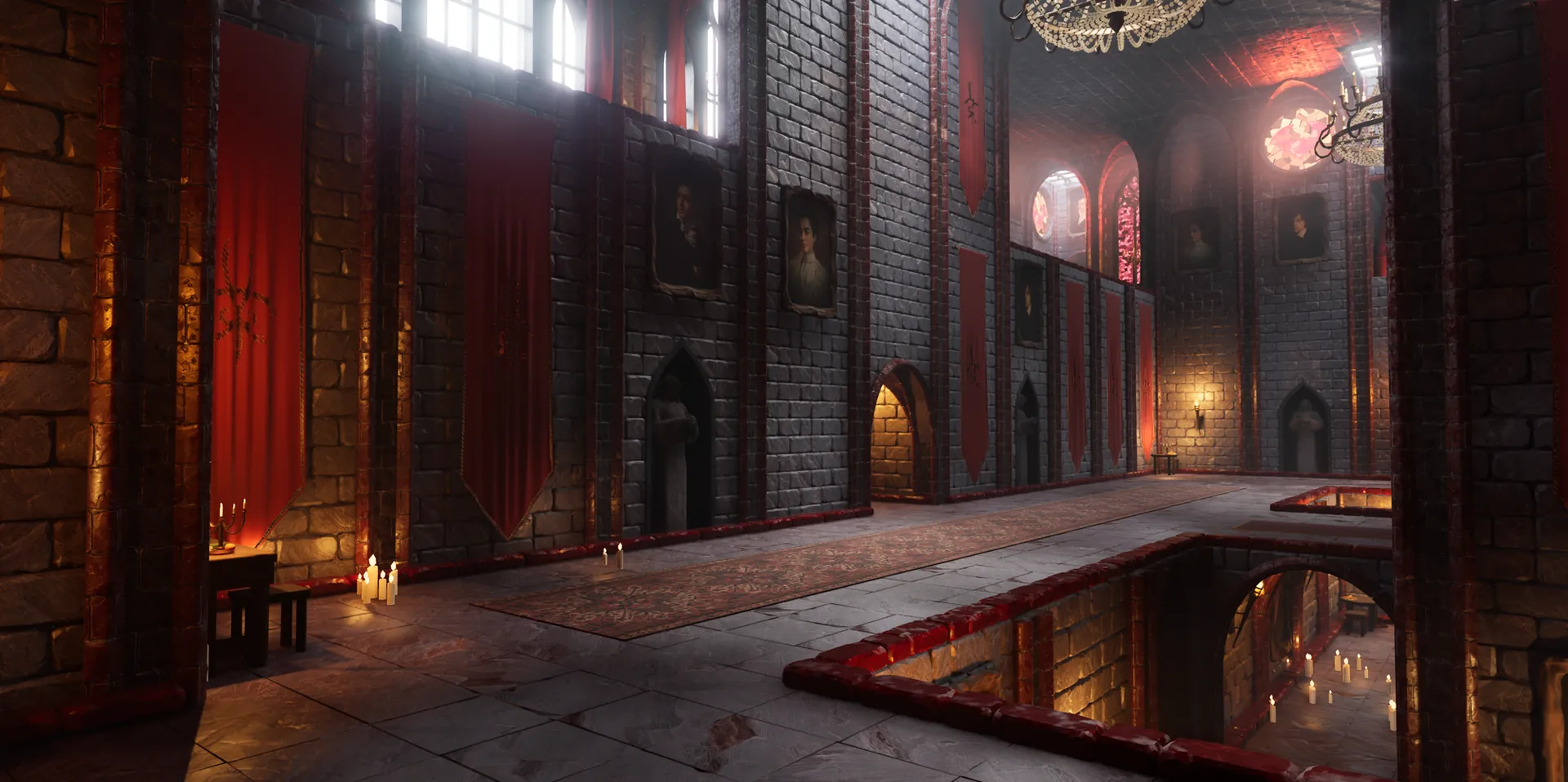
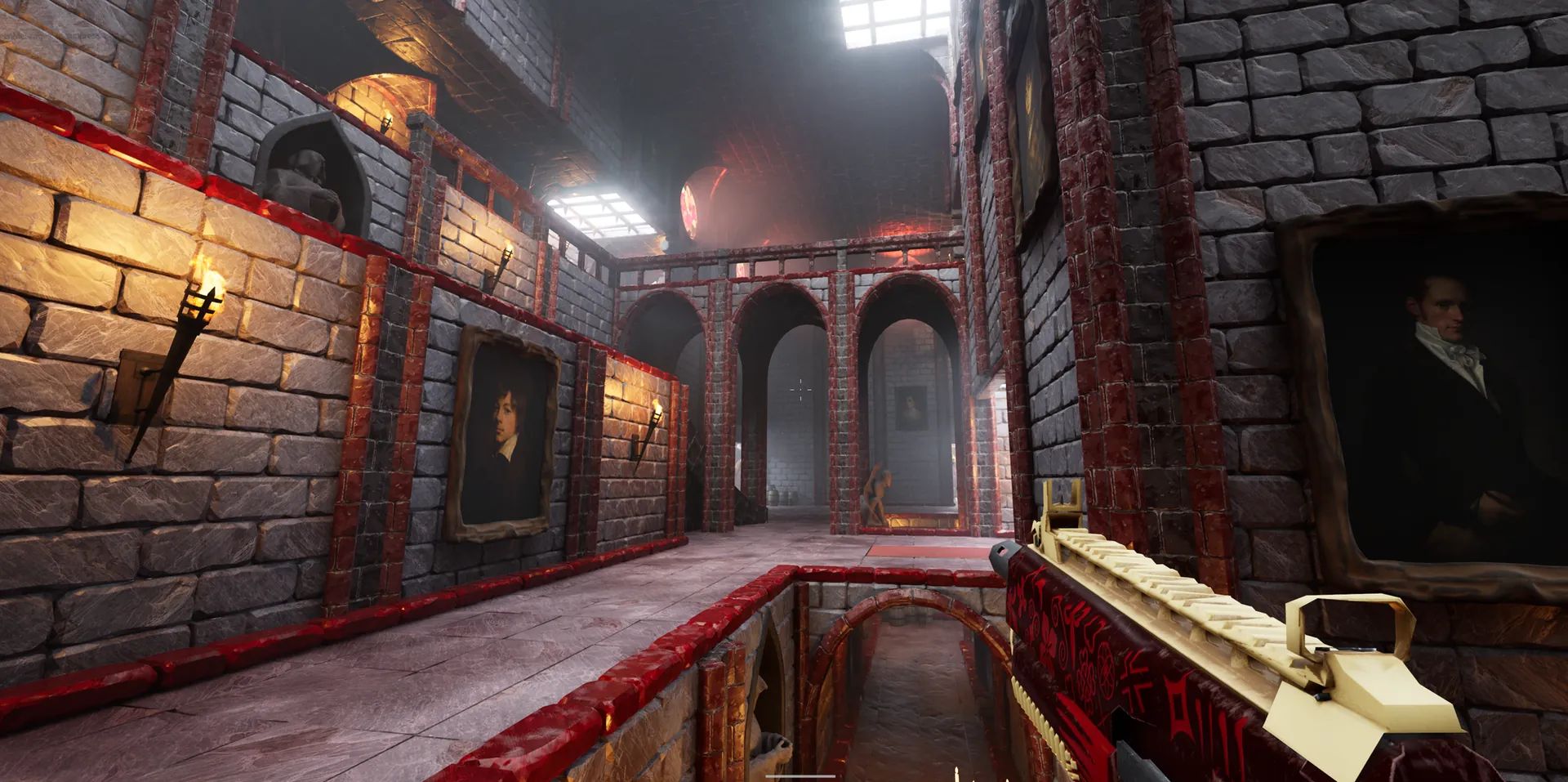
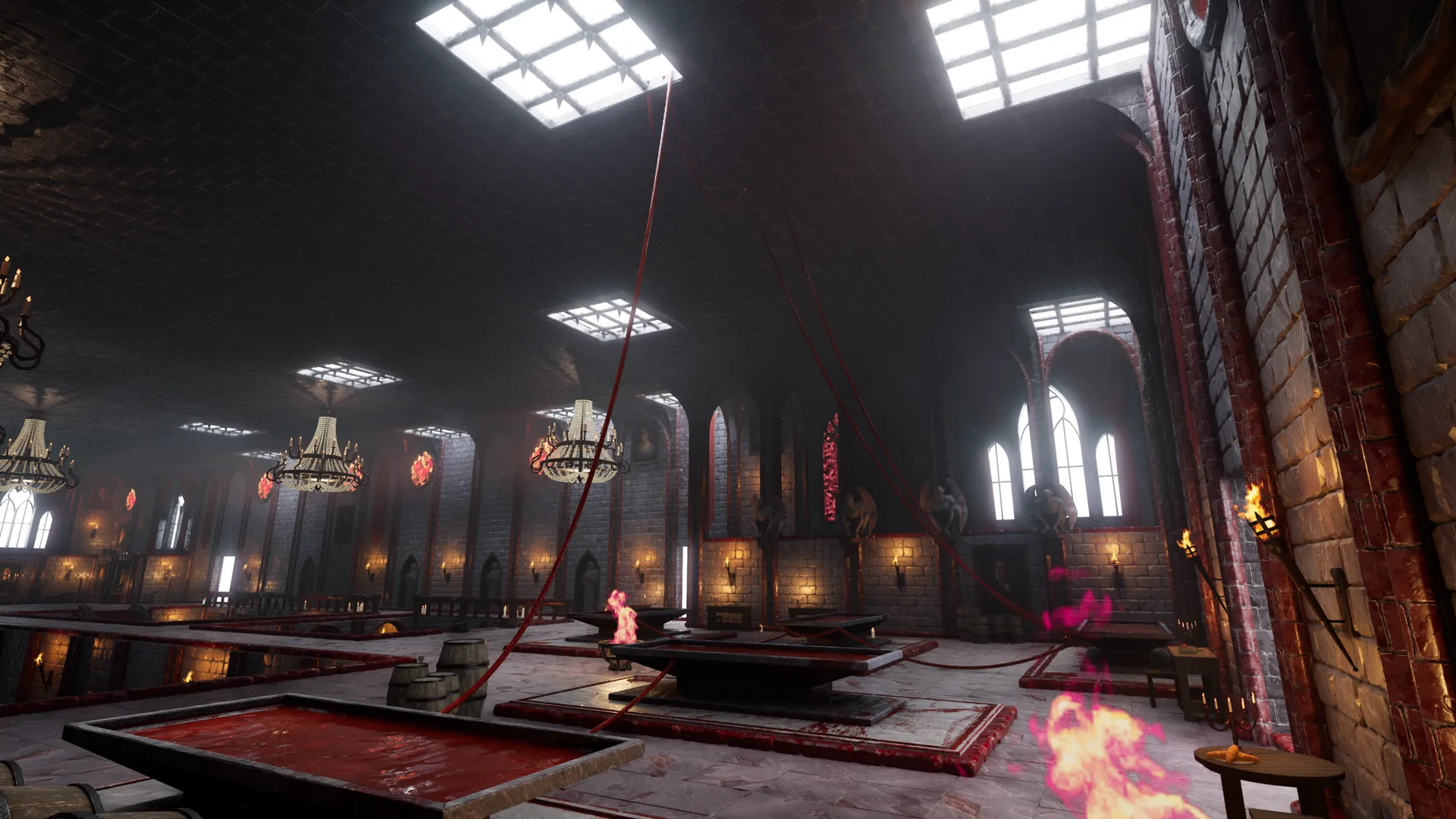
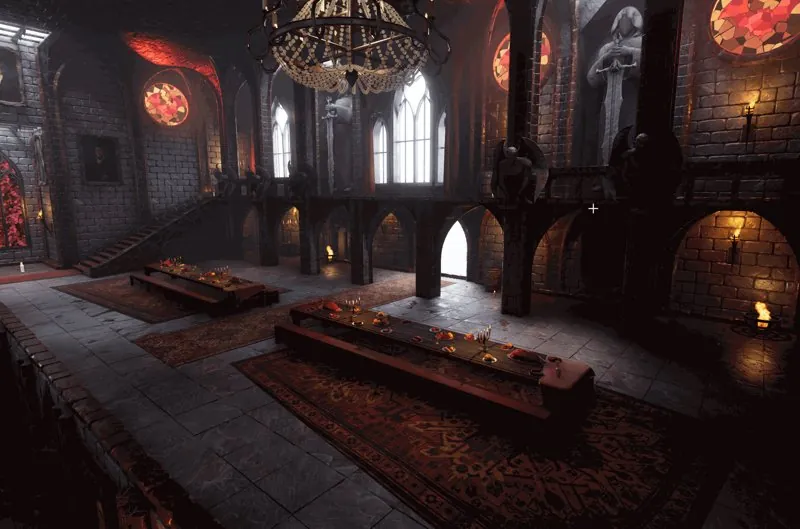
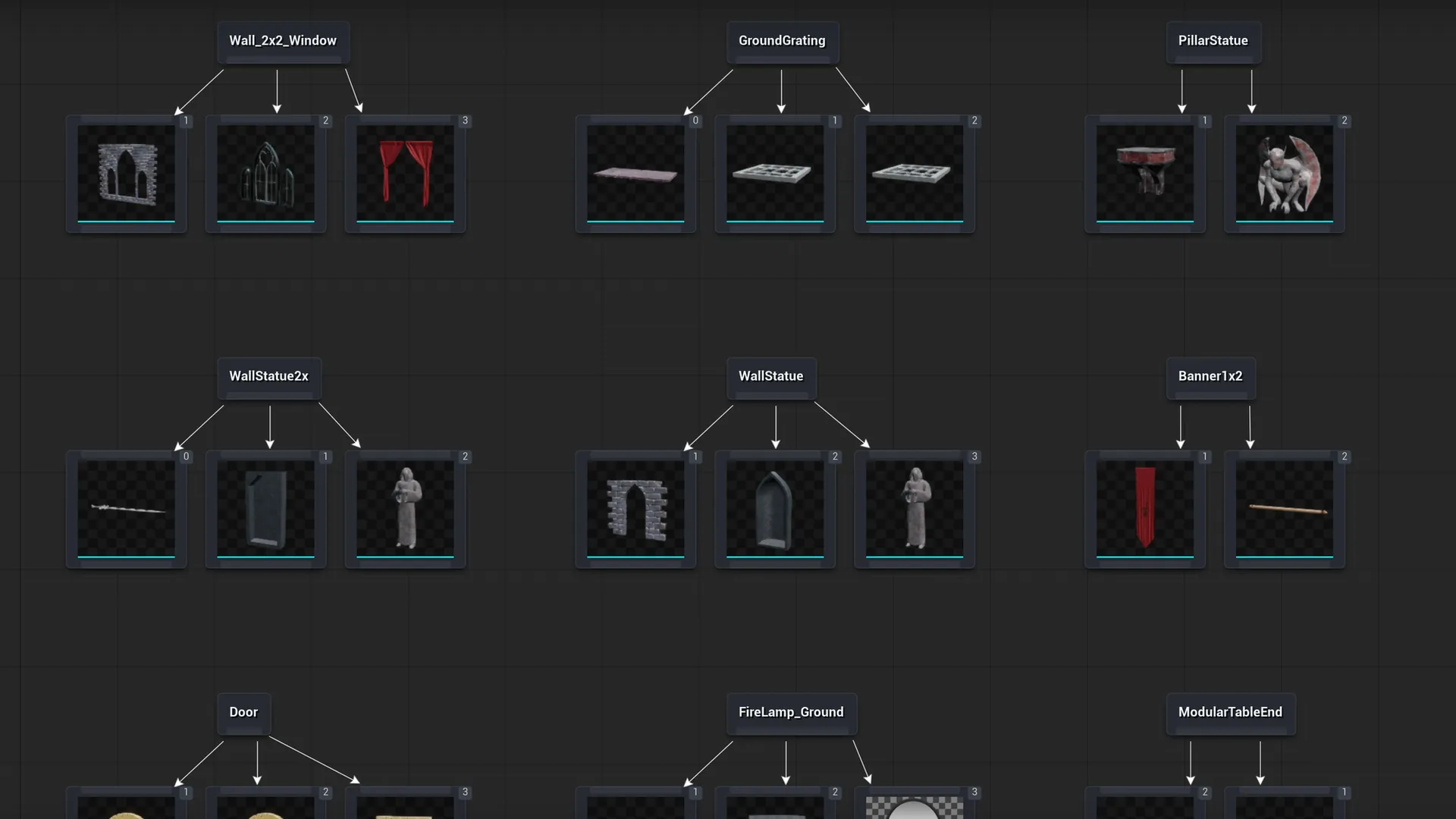
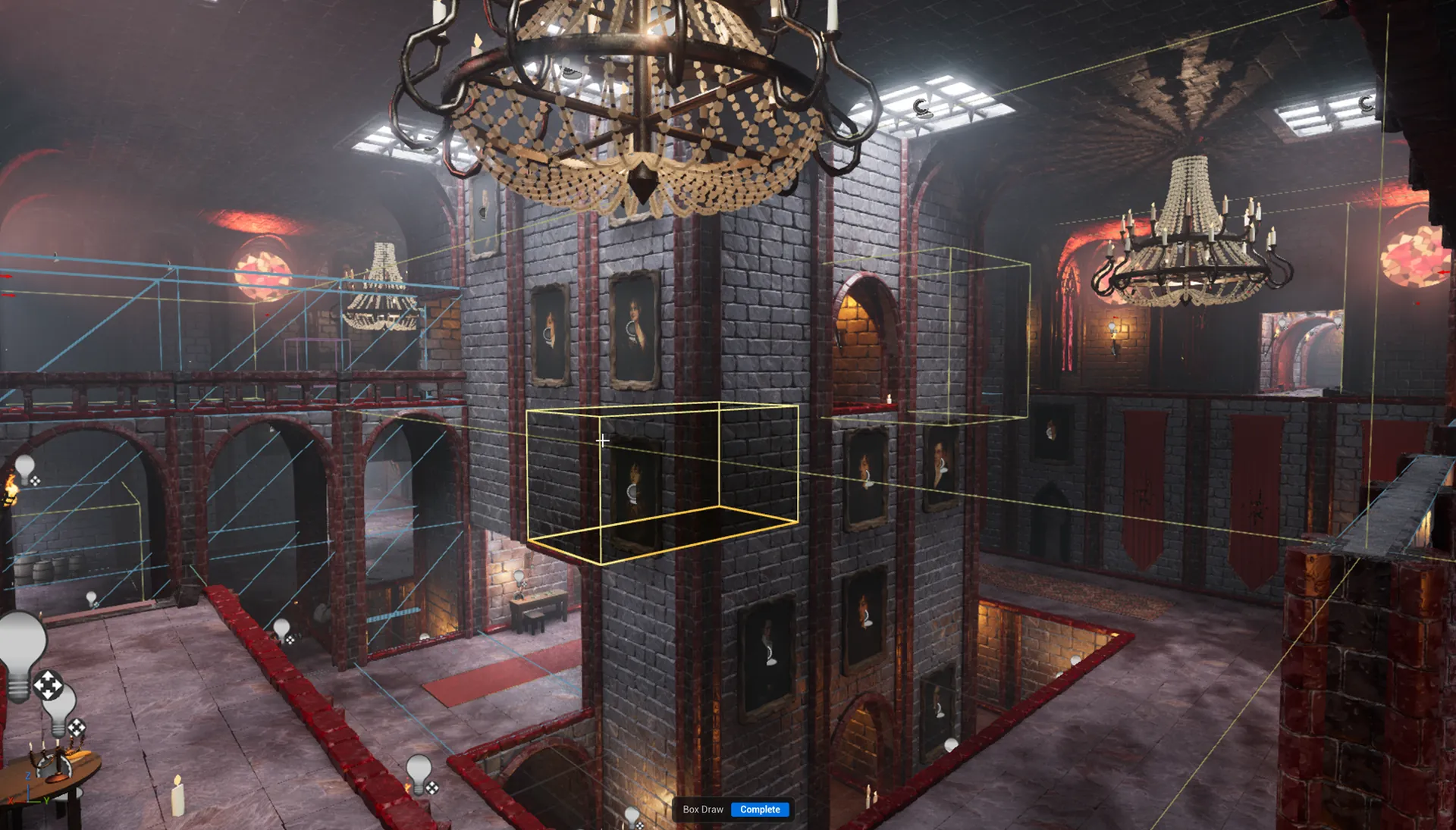
A castle interior with great halls, galleries, stained glass, carpets and feast tables.

+ WHAT’S IN IT

A new showcase theme built with the Blockout Designer. All original art, modeled and textured for Dungeon Architect.

  • ■Great halls, galleries and stairs
  • ■Stained glass, chandeliers, torches and gargoyles
  • ■Carpet runs and modular feast tables
Theme Editor Upgrades in Dungeon Architect
EDITOR

Theme Editor Upgrades

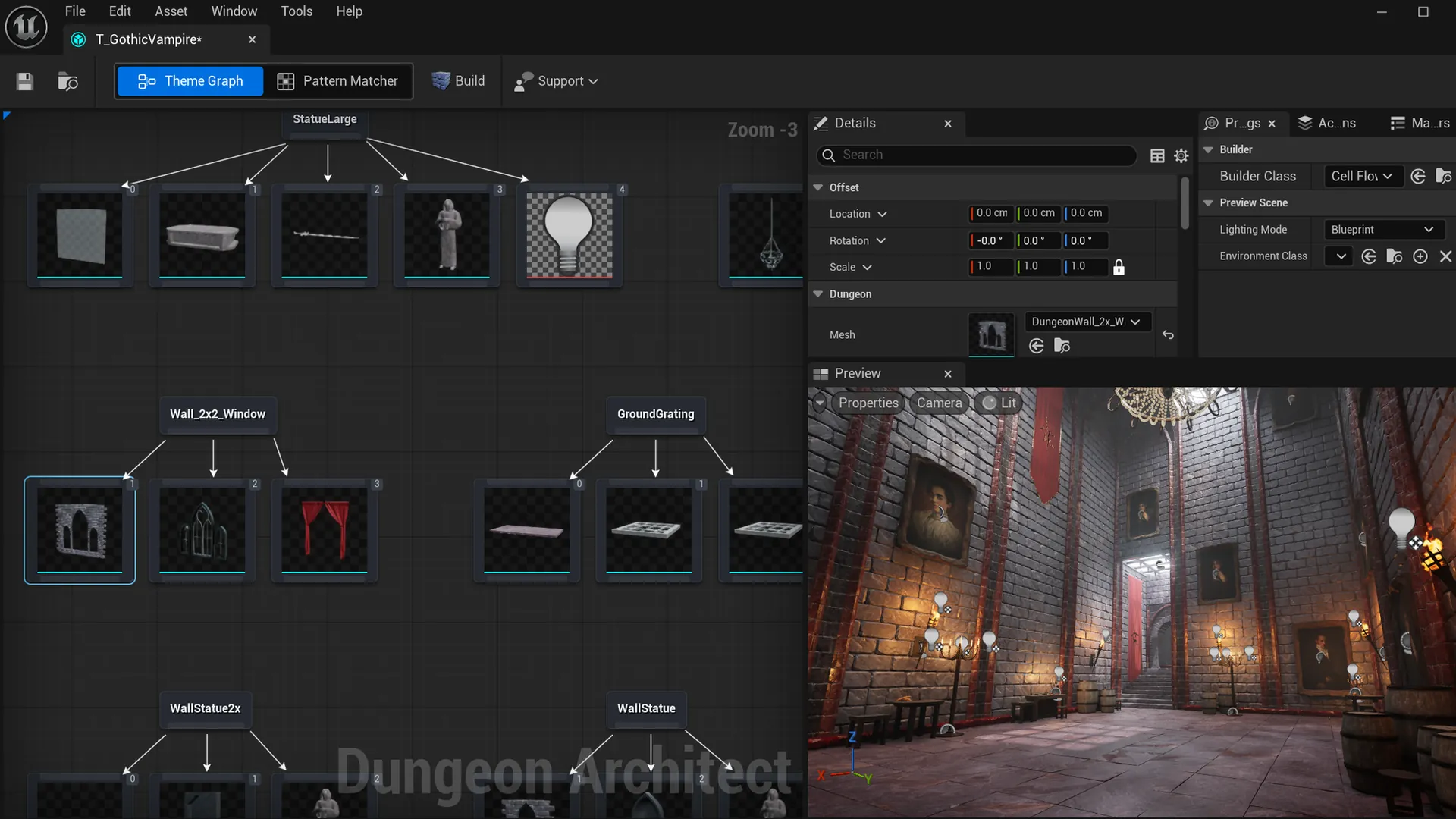
A fresh look, your own preview lighting and faster blueprint props.

+ WHAT’S IN IT

The Theme Editor and Flow Editor have been reskinned, and the theme preview can use your own lighting setup.

  • ■Blueprint lighting for the preview scene, saved in the theme
  • ■Instance Static Meshes option (experimental) on the Blueprint node
  • ■Pattern Matcher switch is easier to find
Theme Editor Upgrades in Dungeon Architect
Voxel Dungeons on Dedicated Servers in Dungeon Architect
VOXEL

Voxel Dungeons on Dedicated Servers

Dedicated servers now build voxel dungeons on the CPU and get the same dungeon as their clients.

+ WHAT’S IN IT
  • ■Fixes the crash when a dedicated server built a voxel dungeon
  • ■Same dungeon on server and clients
  • ■Voxel Mesh Settings on the Dungeon actor can be accessed from Blueprints
Module Database Editor in Dungeon Architect
SNAP GRID FLOW

Module Database Editor

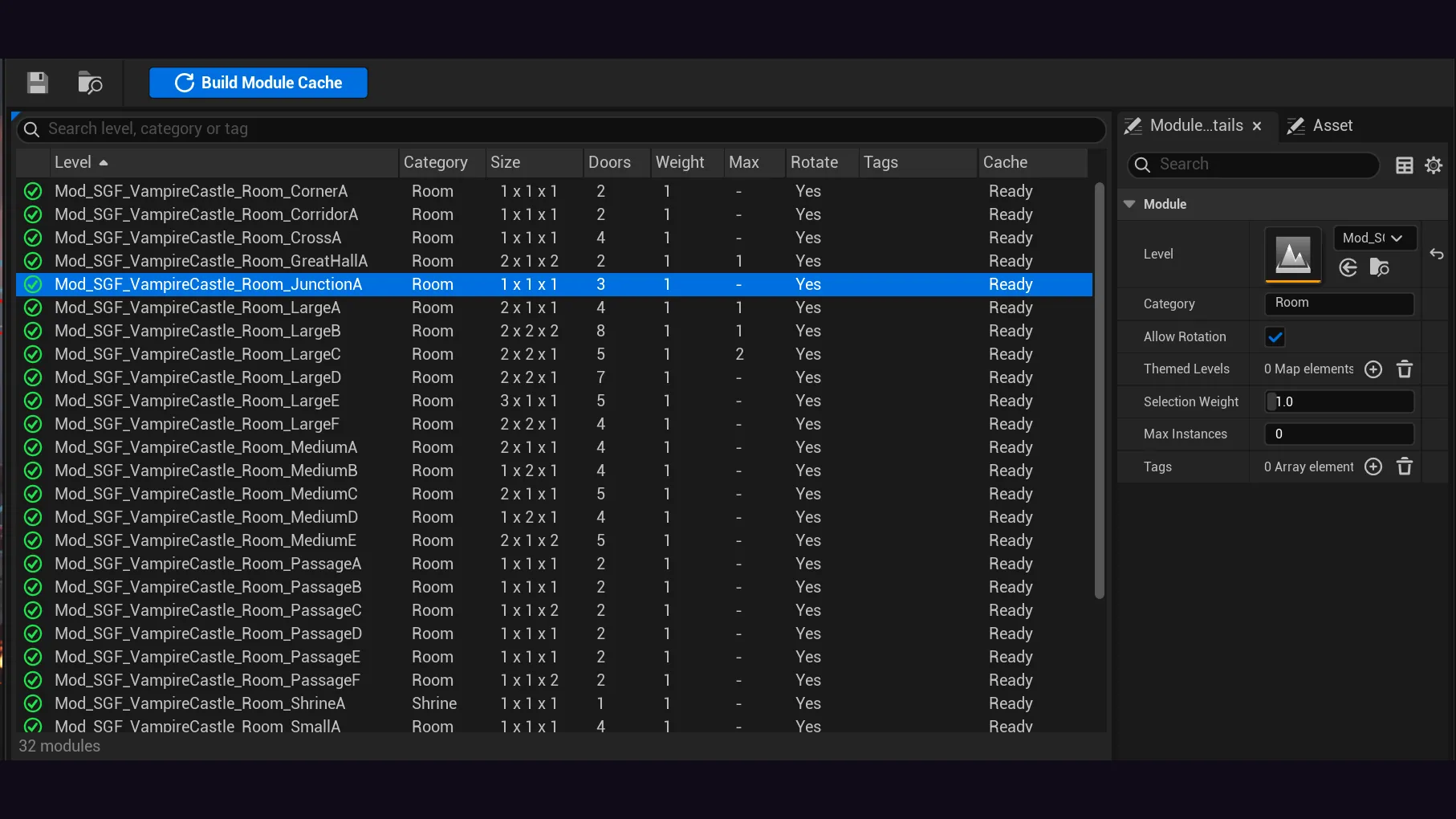
Drag in your levels, rebuild the database and spot door problems in one place.

+ WHAT’S IN IT

Replaces the old details panel, where modules sat in one long array and you had to expand each entry to see which level it was. Now every module is a row in a sortable table.

  • ■Drag and drop levels to add them, even all at once. Duplicates are skipped
  • ■Rebuild the database from the toolbar
  • ■See each module's door problems
  • ■The old array view is still in the Asset tab
docs →
Bigger, Blobbier Cell Flow Rooms in Dungeon Architect
CELL FLOW

Bigger, Blobbier Cell Flow Rooms

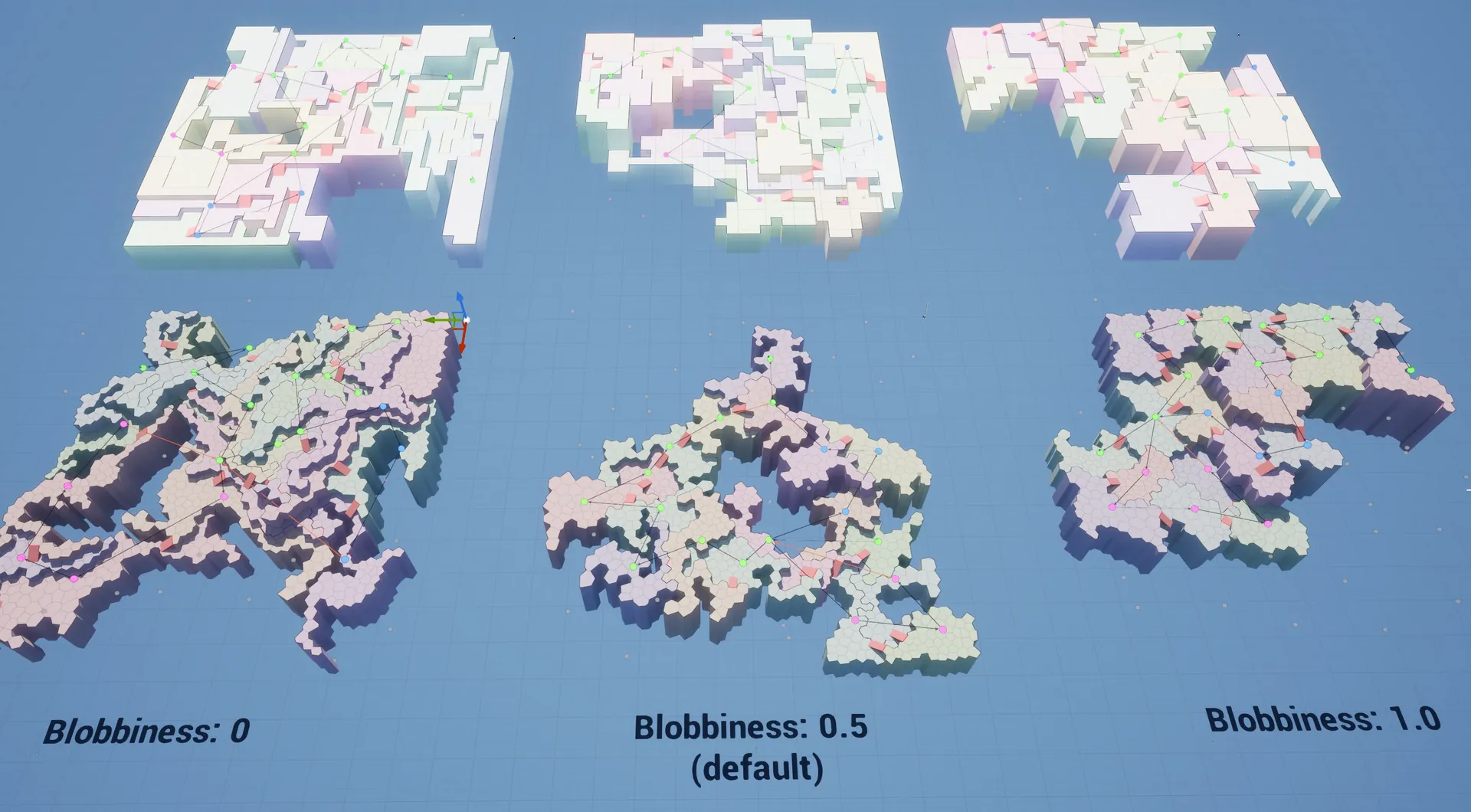
Cluster Blobbiness now works, and a new Room Size range merges cells into larger rooms.

+ WHAT’S IN IT
  • ■Cluster Blobbiness on the Create Cells nodes now takes effect, from blocky (0) to round blobs (1)
  • ■Room Size range on the path nodes merges adjacent cells into larger rooms
  • ■Fewer tiny leftover chunks scattered across the map
Fog of War on Any Actor in Dungeon Architect
CANVAS

Fog of War on Any Actor

Map icons and fog of war on any actor, shared across players in multiplayer.

+ WHAT’S IN IT

Add the new Dungeon Canvas Item component to any actor. Fog Of War Share Mode picks who sees whose exploration: free for all, per team or everyone.

  • ■Any actor can reveal fog around itself, e.g. the level goal shows up on the map before you reach it
  • ■Per actor icon and tint, e.g. one key icon tinted per key color
  • ■Fallback icon when the canvas theme has no entry
  • ■Multiplayer fog sharing
  • ■PS5 packaging fixed, plus cleaner fog of war edges and consistent soft shadows
docs →
Layout and Door Improvements in Dungeon Architect
RELIABILITY

Layout and Door Improvements

A round of layout and door fixes across the flow and snap builders, plus better seed variety.

+ WHAT’S IN IT

Dungeons are spread more evenly across seeds. Note that the same seed produces a different dungeon than in 3.6.

  • ■One-way doors can no longer make a level unfinishable
  • ■Doors on module edges face the right side, and door actors no longer go missing after a save or play session
  • ■Key and lock placement no longer gives up early, and a misspelled path name stops with a clear error
  • ■One-way doors fall back to the normal door when the theme has no one-way door mesh
  • ■Num Timeouts Retries Allowed now takes effect
  • ■Clearer errors: the output log says which room failed and why, or which theme is missing a one-way door
Room Variety Control in Dungeon Architect
SNAP GRID FLOW · SNAP MAP

Room Variety Control

Control how often each room shows up. Works well even with a small set of modules.

+ WHAT’S IN IT

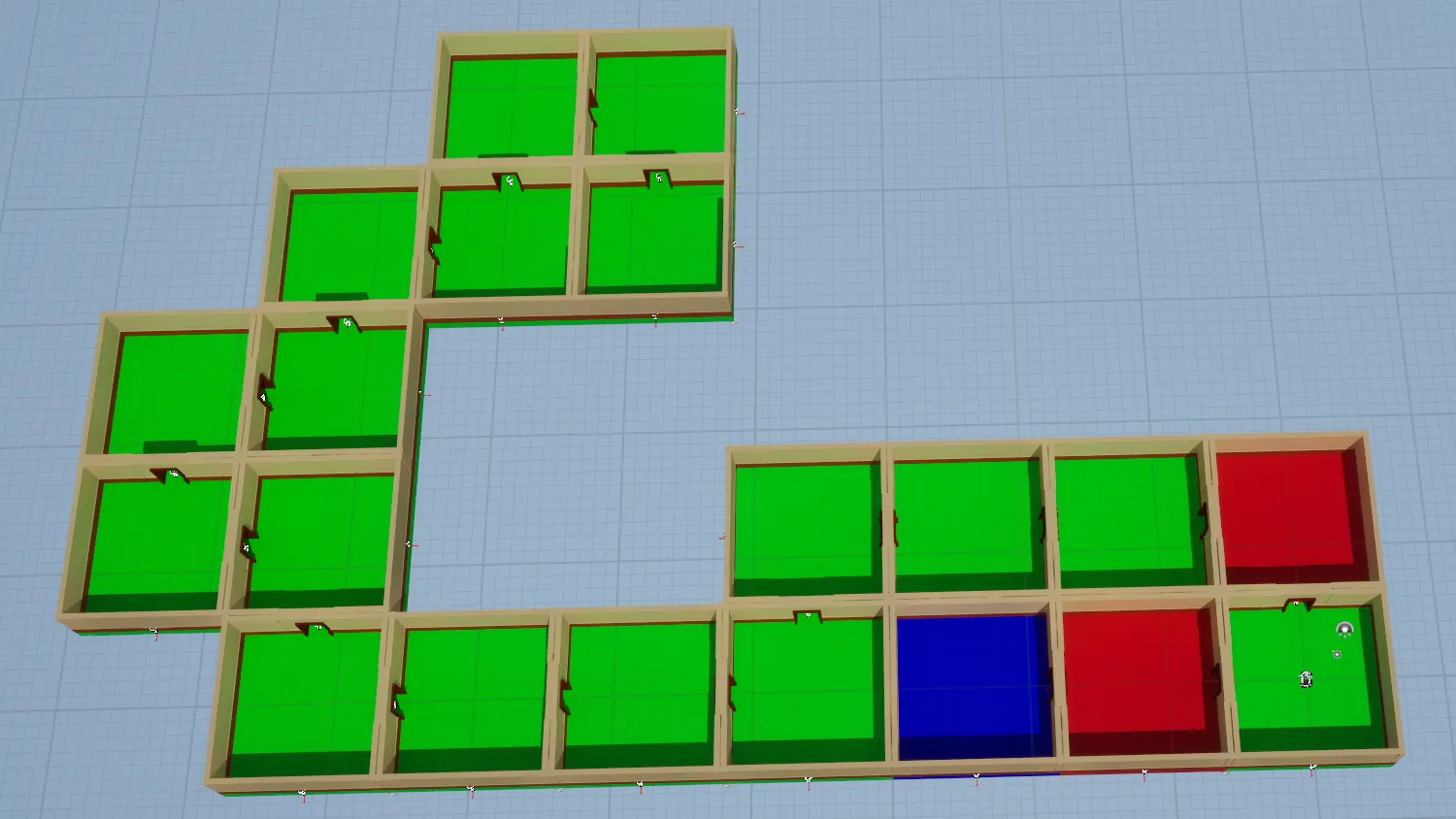
The new Module Selection settings control room repetition across the dungeon. In the picture the blue room is capped at one (Max Instances = 1) and the red room at two, while the green rooms fill the rest. Also supported on Snap Map.

  • ■Max Instances, e.g. a shop or boss room that shows up once
  • ■Selection Weight to make a room show up more or less often
  • ■If modules don't fit, the builder retries with a new layout
  • ■Replaces the old Non Repeating Rooms and Prefer Modules with Minimum Doors settings
docs →